Suno AIを触ってみた
歌詞を与えたらAIが作曲してくれるSuno AIというサービスがあります。 これが先日発表されるやいなや、X上で大きく話題になって、各作曲家のアカウントなどで話題になっていました。
僕もバンドマンのはしくれとしてとても興味深く触っていたので、ブログにするには少し乗り遅れましたが、書いてみようと思います。
登録〜利用まで
Suno AIにアクセスして「Make a Song」からアカウント登録/Sign inをしましょう。 アカウントはDiscord, Google, Microsoftから選択して連携できるようです。幅が広くて便利ですね。
登録後は、無料版では50 credits/dayまで利用できます。
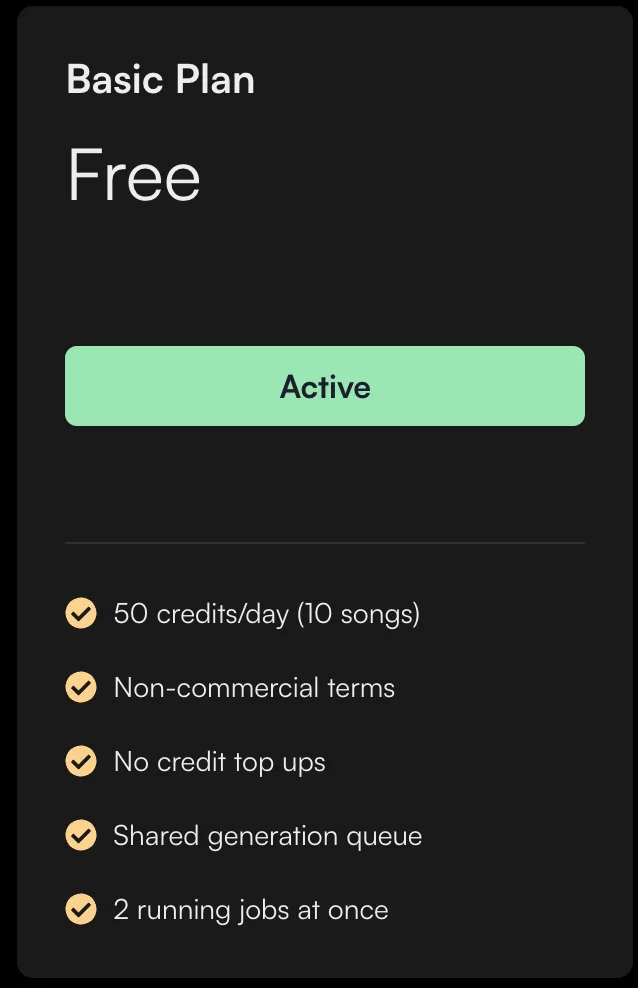
一回に2ジョブ、1ジョブで5credits使われるので、無料版では1日5回実行できて10曲作れる。という形式になります。 直近使っている感じでは、12:00を超えたらcreditsが復活する。とかではなさそうでした。使い続けて見てみます。
ある日のcreditsが10残っていたからといって60まで回復する。とかもないです。一日50credtisまで使える。という形です。
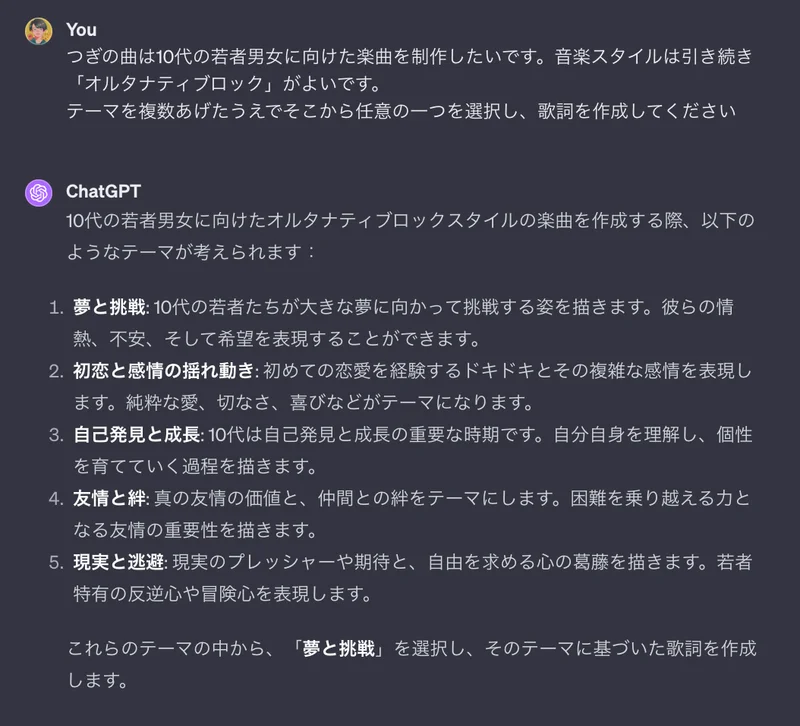
早速、ChatGPTで作詞をし、Suno AIに歌詞を投げ込んでみました。
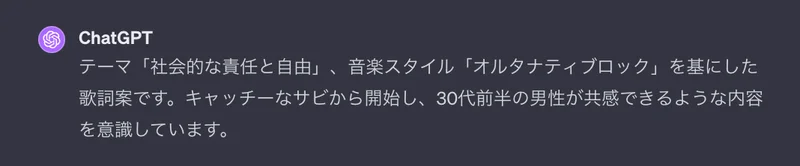
<iframe width="100%" height="166" scrolling="no" frameborder="no" allow="autoplay" src="https://w.soundcloud.com/player/?url=https%3A//api.soundcloud.com/tracks/1726144779&color=%23ff9900&auto_play=false&hide_related=false&show_comments=true&show_user=true&show_reposts=false&show_teaser=true"></iframe><div style="font-size: 10px; color: #cccccc;line-break: anywhere;word-break: normal;overflow: hidden;white-space: nowrap;text-overflow: ellipsis; font-family: Interstate,Lucida Grande,Lucida Sans Unicode,Lucida Sans,Garuda,Verdana,Tahoma,sans-serif;font-weight: 100;"><a href="https://soundcloud.com/adio1129" title="あでぃ" target="_blank" style="color: #cccccc; text-decoration: none;">あでぃ</a> · <a href="https://soundcloud.com/adio1129/gn9mbvhzcxbm" title="束縛を脱ぎ捨てて" target="_blank" style="color: #cccccc; text-decoration: none;">束縛を脱ぎ捨てて</a></div>つぎはターゲットを変更して10代の若者に向けてみましょう。

<iframe width="100%" height="166" scrolling="no" frameborder="no" allow="autoplay" src="https://w.soundcloud.com/player/?url=https%3A//api.soundcloud.com/tracks/1726145337&color=%23ff9900&auto_play=false&hide_related=false&show_comments=true&show_user=true&show_reposts=false&show_teaser=true"></iframe><div style="font-size: 10px; color: #cccccc;line-break: anywhere;word-break: normal;overflow: hidden;white-space: nowrap;text-overflow: ellipsis; font-family: Interstate,Lucida Grande,Lucida Sans Unicode,Lucida Sans,Garuda,Verdana,Tahoma,sans-serif;font-weight: 100;"><a href="https://soundcloud.com/adio1129" title="あでぃ" target="_blank" style="color: #cccccc; text-decoration: none;">あでぃ</a> · <a href="https://soundcloud.com/adio1129/t0uxoqtgvgmi" title="夢と挑戦" target="_blank" style="color: #cccccc; text-decoration: none;">夢と挑戦</a></div>いい感じですね。とても楽しい。 たまに日本語を読み間違えたりしてしまいますが、結構歌詞の構成をしっかり理解して出力してくれるので、十分使えそうなものが出力されます。 歌詞を入れない、インスト曲もかけるみたいです。ちょっと構成がぐちゃぐちゃになりますが。
<iframe width="100%" height="166" scrolling="no" frameborder="no" allow="autoplay" src="https://w.soundcloud.com/player/?url=https%3A//api.soundcloud.com/tracks/1726145400&color=%23ff9900&auto_play=false&hide_related=false&show_comments=true&show_user=true&show_reposts=false&show_teaser=true"></iframe><div style="font-size: 10px; color: #cccccc;line-break: anywhere;word-break: normal;overflow: hidden;white-space: nowrap;text-overflow: ellipsis; font-family: Interstate,Lucida Grande,Lucida Sans Unicode,Lucida Sans,Garuda,Verdana,Tahoma,sans-serif;font-weight: 100;"><a href="https://soundcloud.com/adio1129" title="あでぃ" target="_blank" style="color: #cccccc; text-decoration: none;">あでぃ</a> · <a href="https://soundcloud.com/adio1129/ethereal-echoes" title="Ethereal Echoes" target="_blank" style="color: #cccccc; text-decoration: none;">Ethereal Echoes</a></div>なにより、0→1が苦手な自分としてはインスピレーションを生むためのきっかけがAIによって提供されるのはとても嬉しいです。ここに合わせて楽器を演奏しているだけで十分に楽しい。
感想
というわけで、Suno AI を利用してみました。いまのところ、無料版で触ってみただけで数曲しかできてないのですが、探究しがいがあるなと思いました。 もうちょっとおもしろい使い方が見つかったらまたまとめてみます。AIとうまく対話できるようになるのはこれからを生き抜くために必要な力な気がしますね。良いプロンプトを考案できるようになっていきたい。